Does anyone have any tools or ideas on how to export an OLE to into Word so that it laysout in Landscape orientation versus portrait with the rest of the document staying in portrait ? Has anyone had any success in doing this ?
Thanks
Bill
SystemAdmin - Wed Jan 06 16:47:56 EST 2010 |
|
Re: OLE Orientation upon export from DOORS
SystemAdmin - Wed Jan 20 10:59:01 EST 2010
Check the details of the IBM Rational Publishing Engine, a tool for IBM products which can export in different formats, MS-word is one of them.
With this tool you can design and execute your export.
http://www-01.ibm.com/software/awdtools/pubengine/
|
|
Re: OLE Orientation upon export from DOORS
SandraCoppedge - Thu Aug 11 15:10:33 EDT 2011 SystemAdmin - Wed Jan 20 10:59:01 EST 2010
Check the details of the IBM Rational Publishing Engine, a tool for IBM products which can export in different formats, MS-word is one of them.
With this tool you can design and execute your export.
http://www-01.ibm.com/software/awdtools/pubengine/
Please let me know if you are an RPE / DOORS guru!
|
|
Re: OLE Orientation upon export from DOORS
SandraCoppedge - Thu Aug 11 15:36:01 EDT 2011 SandraCoppedge - Thu Aug 11 15:10:33 EDT 2011
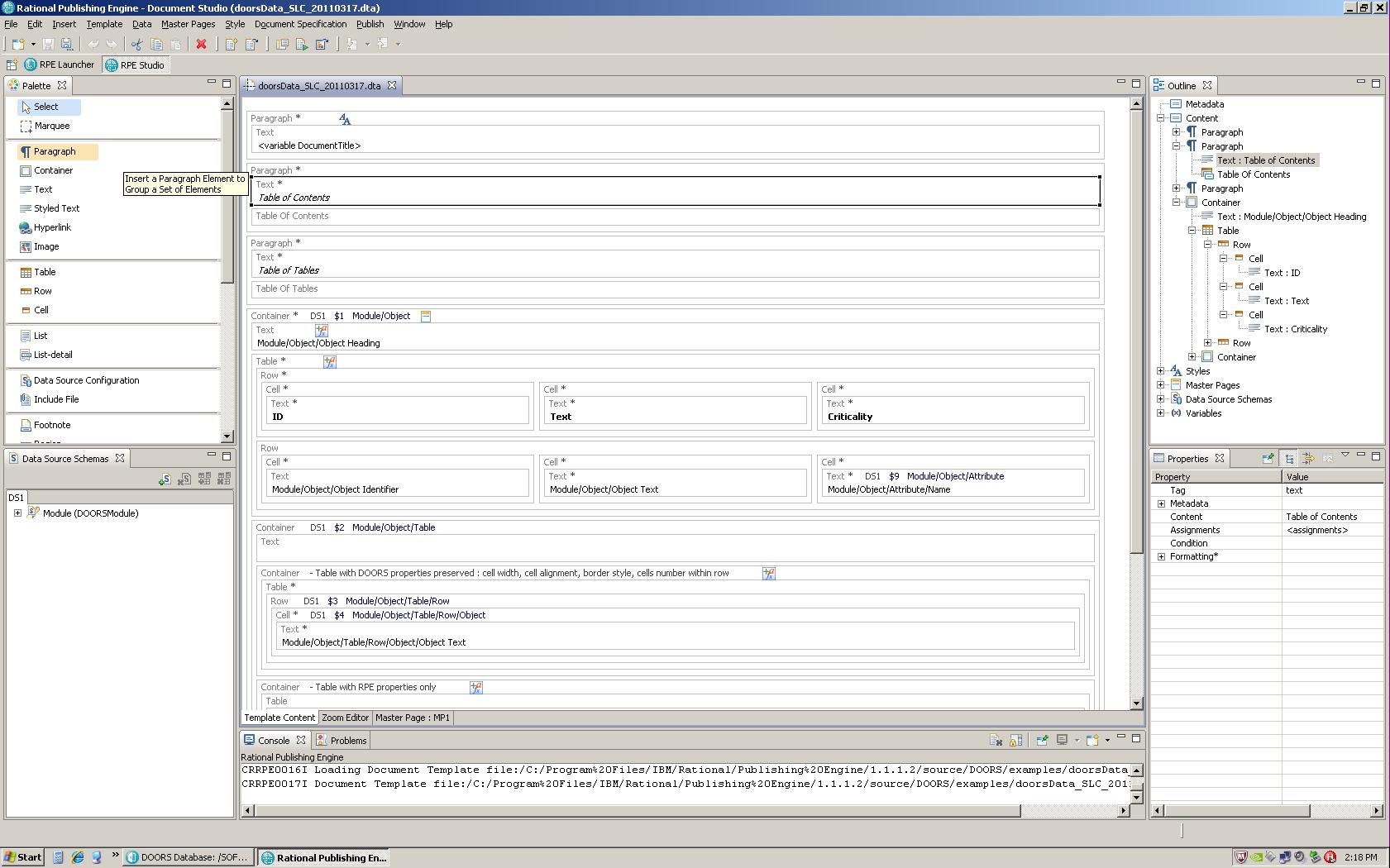
Does ANYONE (possibly Fralix) know how to customize the template for putting custom attributes on it? I used the "doorsData.dta" template and it is what I need (for the most part) but I can't figure out how to get it to pull custom attributes, ONLY the DOORS standard attributes (such as Object Heading and Text).
Please let me know if you are an RPE / DOORS guru!
Attachments
attachment_14671400_doorsData_Template.JPG
|
|
Re: OLE Orientation upon export from DOORS
SandraCoppedge - Thu Aug 11 15:37:07 EDT 2011 SandraCoppedge - Thu Aug 11 15:10:33 EDT 2011
Does ANYONE (possibly Fralix) know how to customize the template for putting custom attributes on it? I used the "doorsData.dta" template and it is what I need (for the most part) but I can't figure out how to get it to pull custom attributes, ONLY the DOORS standard attributes (such as Object Heading and Text).
Please let me know if you are an RPE / DOORS guru!
Attachments
attachment_14671401_doorsData_Export_Word.JPG
|
|
Re: OLE Orientation upon export from DOORS
SandraCoppedge - Thu Aug 11 16:43:55 EDT 2011 SandraCoppedge - Thu Aug 11 15:37:07 EDT 2011
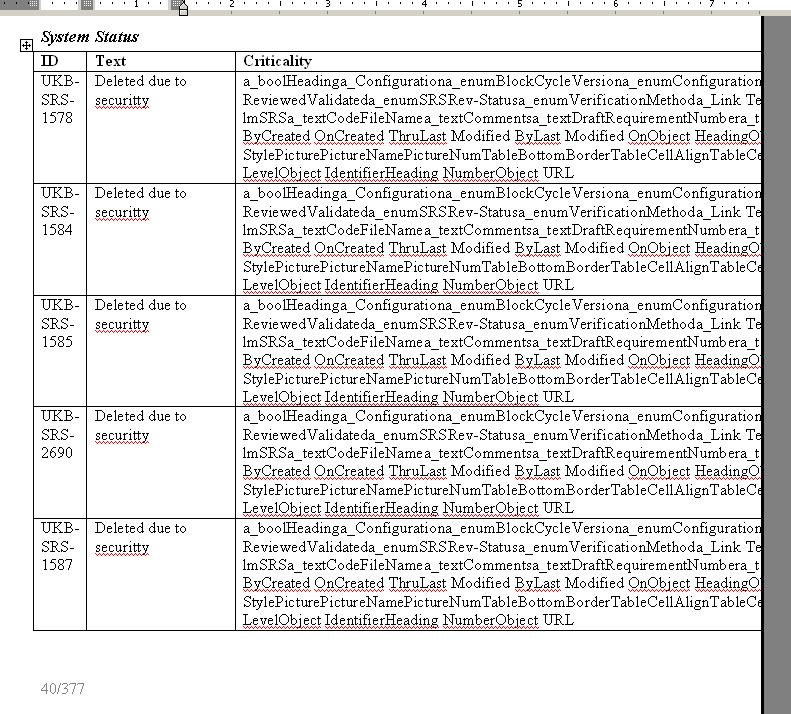
I have uploaded the template in the last message. Here is the exported data to Word (minus the requirements since that wouldn't be secure).
|
|